What Is PUBG Flash APK?
PUBG Flash APK is the Android installer for PUBG MOBILE FLASH, the lighter build of PUBG Mobile published by Level Infinite. It is the same battle royale, the same account and the same friends list, packed into a much smaller first download. The current version is 4.6.0, the file is 960.2 MB, and it installs on Android 5.0 or newer.
The difference is how the game arrives on your phone. Instead of one huge package with every map and mode, Flash installs the core game with Erangel ready to play, then lets you add Miramar, Sanhok, Livik and other content only when you want it. That is why it suits budget phones, phones with little free storage and players who just want to jump into a match quickly.
What You Get in Version 4.6.0
- Erangel pre installed: your first classic match needs no extra resource pack.
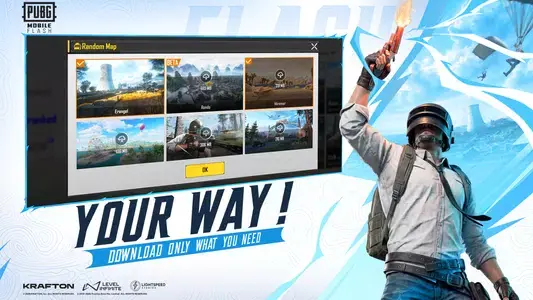
- Optional content: extra maps and modes download only when you pick them, and can be removed again to free space.
- Warehouse Arena: a compact 4v4 mode with unlimited respawns for quick team gunfights.
- Shared PUBG Mobile world: team up with PUBG Mobile friends on the same account.
- Bug fixes and stability improvements carried over from the latest PUBG Mobile season.
Main Features of PUBG Flash APK
- Small first install: about 960 MB to start, far lighter than the full PUBG Mobile download.
- Runs on 2 GB RAM phones: the build is promoted for entry level Android devices.
- Up to 60 FPS: smooth frame rate options on capable phones.
- 100 player classic matches on Erangel, with more maps available on demand.
- Same account and progress as PUBG Mobile, including friends and squads.
- Free to play, with optional in game purchases for skins and passes.
PUBG Flash APK Screenshots
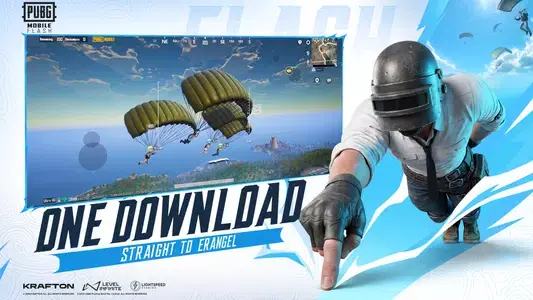
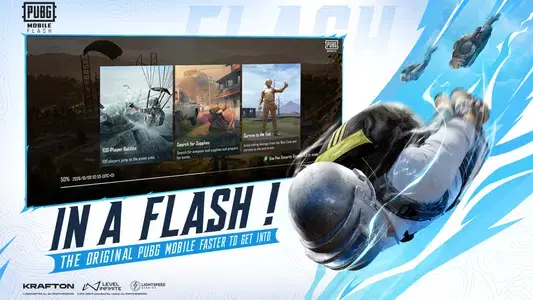
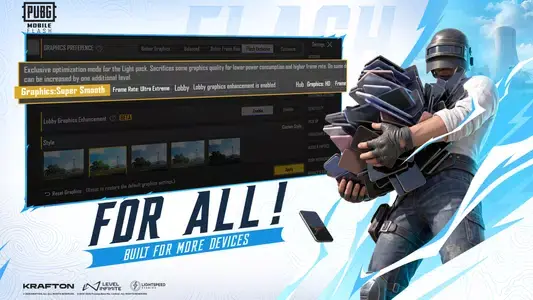
These are the game's own official screenshots, in the same blue and white Flash presentation as its store listing: the parachute drop over Erangel, the mode and map screens you actually tap through, and the graphics page that keeps the lighter build smooth on modest phones.

Safety and Verification
Before you install any APK, check three things. The package name should read com.tencent.igfit, the developer should be Level Infinite, and the file size should be close to 960 MB for version 4.6.0. A file that is dramatically smaller, asks for odd permissions such as SMS access, or promises unlimited UC or unlocked skins is not the real game. PUBG MOBILE FLASH is free, so any page asking you to pay for the APK is a red flag.
How to Download and Install PUBG Flash APK
The install takes a few minutes on a normal connection. Make sure you have at least 2 GB of free storage before you start, because the game unpacks its first resources after the APK itself lands.
- Open our PUBG Flash download page and wait for the download button to appear.
- Tap Download PUBG Flash APK and let the 960.2 MB file finish downloading, ideally on Wi-Fi.
- If Android asks, allow your browser or file manager to install unknown apps (Settings, Apps, Special access, Install unknown apps).
- Open the downloaded file from your notifications or the Downloads folder and tap Install.
- Launch PUBG MOBILE FLASH, let it finish the short first resource check, and sign in with your existing PUBG Mobile account or create a new one.
- Erangel is ready immediately. Add Miramar, Sanhok or other modes later from the in game resource manager only if you want them.
How to Update PUBG Flash
When a new season lands, the game will tell you an update is required. Download the newest APK from the same download page and install it over the existing app: your account, settings and progress are tied to your login and stay where they are. Do not uninstall first unless an install fails, because that also clears downloaded map packs you would then need to fetch again.
Device Compatibility
Flash is built for breadth. It installs on Android 5.0 and newer, and the build is promoted for phones with 2 GB of RAM. On those phones, use Smooth graphics and a stable frame rate rather than the highest option. Phones with 4 GB of RAM or more can comfortably run Balanced or HD with 60 FPS. A 64 bit (arm64) phone is recommended for the smoothest experience, and a steady internet connection is required for every match.
Why Players Download PUBG Flash APK
Most people pick the Flash APK for one of three reasons. Their phone does not have enough storage for the full PUBG Mobile install, their device has only 2 or 3 GB of RAM, or they want to start playing in minutes instead of waiting for gigabytes of maps they may never use. Once installed, setting the game up well matters: our best settings guide and low end phone guide help you get a stable frame rate from day one.
Pros and Cons
Pros
- Much smaller first download than full PUBG Mobile
- Erangel ready to play right after install
- Works on budget phones with 2 GB RAM
- Same account, friends and updates as PUBG Mobile
- Free to download and play
Cons
- Other maps and modes need separate downloads
- Low end phones still need Smooth graphics for steady play
- A stable internet connection is required for every match
Older Versions
Older PUBG Flash APKs stop connecting once a new season update goes live, because the servers only accept the current version. Always install the latest build from our download page. If a new version causes problems on your phone, clear the game cache first rather than going back to an old file.
Alternatives Worth Knowing
PUBG Mobile is the full version with every map installed up front, best for phones with plenty of storage. Call of Duty: Mobile offers battle royale plus fast multiplayer modes. Free Fire runs even lighter on very old phones with shorter matches. If you want the real PUBG experience on modest hardware, Flash is the most direct choice. See how it compares in PUBG Flash vs PUBG Mobile.
Troubleshooting Common Problems
App not installed: free up storage, remove any older copy with a different signature, and try again. Stuck on the loading screen: switch between Wi-Fi and mobile data and clear the game cache from Android settings. Lag or overheating: drop to Smooth graphics, cap the frame rate one step lower and close background apps. Parse error: your Android version is older than 5.0 or the download did not finish, so download the file again.